Revolutionize your MX Master 4.
Map your buttons and unlock new functionality
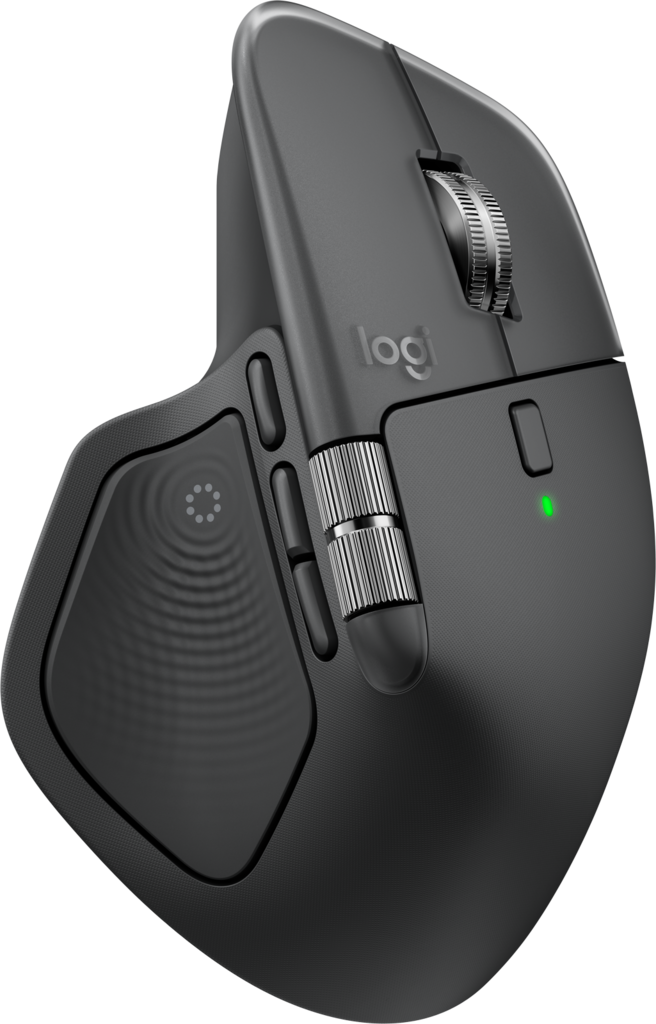
One panel. More possibilities.
What you can change
Give a tap or double tap its own action. Configure held clicks, or open the six-action Action Ring with a hold gesture.
What that means for you
Reach shortcuts from your thumb, or use configured held-click commands to move a window between Spaces.
Choose a control to explore what Facet adds.Redesigned action ring
Tap it. Hold it.
Flick it
Give a tap its own action, or hold the Haptic Sense Panel to open the Action Ring. Move toward a petal and release to run it. Every gesture can become a command that feels natural to reach.
Choose a petal to preview its action
Own your Spaces
Take the window with you.
Point at a window's title bar and hold the Haptic Sense Panel. Facet confirms when it is locked. Move the window naturally, or use the configured left and right chords to carry it across Spaces.
Five-day free trial
Use every feature for five days.
No card and no stripped-down trial. After five full days, keep Facet on up to three personal Macs with one $10 USD purchase.
Good to know
Common questions.
Why does Facet need Accessibility?
Accessibility lets Facet handle mouse input and run the shortcuts and remapped clicks you choose. Enable Facet in System Settings → Privacy & Security → Accessibility, then return to the app. If macOS also asks for Input Monitoring, follow that prompt.
What if back and forward are still inconsistent?
Try native Mouse Button 4/5 actions first. For browsers that ignore them, choose Browser Back or Browser Forward instead. Also fully quit Logi Options+ so two tools are not remapping the same button.
Can the Haptic Sense Panel modify the middle button?
Yes. Tap, double tap, and hold + left, middle, or right click are separate mappings. Normal clicks remain unchanged when the panel is not held.
Can Facet move a window between macOS Spaces?
Yes. Point at the title bar, hold the Haptic Sense Panel until the lock confirmation, then use the configured previous/next Space chords. You can also reposition the locked window before releasing the panel.
Does Facet work on Windows?
No. The current Facet release is built only for macOS and Apple silicon. A Windows version would require a separate port and is not available today.
Does this work on Intel Macs or other Logitech mice?
This build is for Apple silicon and is tested primarily with MX Master 4. Other Logitech mice may work, but they are not officially supported yet.
Is this an official Logitech app?
No. Facet is an independent Mac app and is not affiliated with or endorsed by Logitech.